OnePlus Root Services & Magisk Support
96 devices with specifications, support status, and root information.
Rooting OnePlus devices
OnePlus has long been one of the most rooting-friendly brands. Most devices unlock with a single standard fastboot command (fastboot flashing unlock) and no waiting period — enable OEM Unlocking and USB debugging in Developer Options, boot to the bootloader, and run the command. The main exception is US carrier units: T-Mobile OnePlus phones require a SIM-unlock and a separate unlock token before the bootloader will open.
After unlocking, rooting is the standard Magisk boot-image (or init_boot on newer models) flow, and OnePlus publishes enough firmware that recovering from mistakes is usually straightforward. Since the software merger with OPPO's ColorOS codebase, some newer OnePlus models behave a little more like OPPO under the hood, but the unlock path has remained open on global variants. As always, unlocking wipes the device, so back up first and confirm your exact model and region before flashing any firmware.

OnePlus Turbo 6V

OnePlus Turbo 6

OnePlus Ace 6

OnePlus 15

OnePlus Ace 6T

OnePlus Watch 3 Lite

OnePlus Pad Go 2

OnePlus 15R

OnePlus Pad Lite

OnePlus Watch 3 43mm

OnePlus Nord CE5

OnePlus Nord 5

OnePlus Ace 5 Racing

OnePlus Ace 5 Ultra

OnePlus 13s
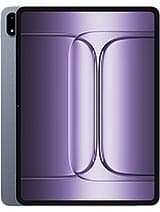
OnePlus Pad 3

OnePlus 13T
OnePlus Pad 2 Pro

OnePlus 13R

OnePlus Watch 3

OnePlus Ace 3

OnePlus 12R

OnePlus Nord N30 SE

OnePlus Watch 2 (eSIM)
OnePlus rooting — frequently asked questions
Can I root my OnePlus without a waiting period?
Yes. Most OnePlus devices unlock instantly with a standard fastboot command — no waiting period like Xiaomi. The exception is T-Mobile US units, which need a SIM-unlock and unlock token first.
Does OnePlus rooting still work after the OPPO merge?
Yes. Although newer OnePlus software shares OPPO’s ColorOS codebase, global OnePlus variants keep an open fastboot unlock path. Root uses the standard Magisk boot/init_boot method.
Will rooting my OnePlus void the warranty?
Officially it can, but OnePlus has historically been lenient, and returning to stock firmware with a re-locked bootloader restores a clean state on most models.