
General
Display
Performance
Camera
Battery
Network
Connectivity
Sensors
Other
Samsung Galaxy F02s Overview
The Samsung Galaxy F02s is an Android device from Samsung, released in 2021. It combines the Qualcomm SDM450 Snapdragon 450 (14 nm) and a 6.5-inch display, running Android 10. This page tracks its full specifications, root status, and the bootloader and recovery notes that apply to it.
Root the Samsung Galaxy F02s
The Samsung Galaxy F02s is a 2021 Android device from Samsung. It runs the Qualcomm SDM450 Snapdragon 450 (14 nm), flashed through Samsung’s Download Mode with Odin rather than fastboot. Shipped software: Android 10. For this model the realistic path is: the brand-specific unlock described below, followed by Magisk via Odin-flashed patched AP firmware. Typical hands-on time is 1–3 hours.
Difficulty
Moderate — brand-specific steps involved
Typical time
1–3 hours
Method
Magisk via Odin-flashed patched AP firmware
Bootloader unlock on Samsung
Samsung has no fastboot: unlocking happens through a Download Mode toggle and flashing through Odin. US/Canada Snapdragon variants ship permanently locked and cannot be rooted — the model number (not the marketing name) decides.
Platform notes
Samsung devices have no fastboot mode regardless of chipset — all flashing runs through Download Mode with Odin, and the Magisk payload is prepared from the firmware AP file rather than a bare boot image.
Before you start
- Bootloader unlocking factory-resets the device on almost all models — back up everything first.
- First unofficial flash permanently trips the Knox e-fuse: Secure Folder and Samsung Wallet payments are lost forever, and service centres can see the flag.
- Firmware must match the device CSC region code exactly; Odin flashes with mismatched regions are a classic soft-brick.
FAQ
Can I root the Samsung Galaxy F02s?
Only on some variants. Samsung Galaxy F02s units sold with an Exynos chipset (most international models) can be unlocked from the Download Mode toggle and rooted with Magisk via an Odin-flashed patched AP file. US and Canadian Snapdragon variants ship permanently locked and cannot be rooted — the exact model number, not the marketing name, decides.
Does the Samsung Galaxy F02s support custom recovery (TWRP)?
TWRP builds exist for many Samsung models, but availability depends on community support for this exact model and chipset. Samsung devices are flashed with Odin from Download Mode rather than the usual Android flashing tools, and root does not depend on TWRP: Magisk is installed by patching the firmware AP file.
Will root the Samsung Galaxy F02s void my warranty?
On Samsung the consequences go beyond warranty: the first unofficial flash permanently trips the Knox e-fuse on the Samsung Galaxy F02s. Secure Folder and Samsung Wallet stop working for good, service centres can read the flag, and restoring stock firmware does not reset it. Separately, consumer law in some regions (such as the EU) may still cover defects unrelated to the modification.
What Android version does the Samsung Galaxy F02s run?
It runs Android 10. The specifications table on this page lists the full software details.
Similar Devices
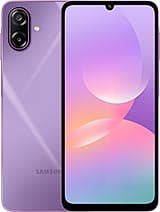
Samsung Galaxy M17e
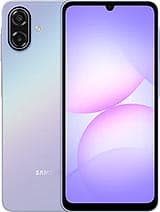
Samsung Galaxy A07
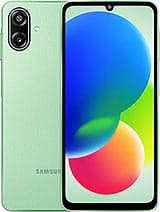
Samsung Galaxy F70e
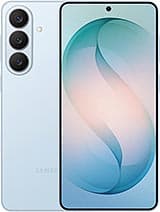
Samsung Galaxy S26+
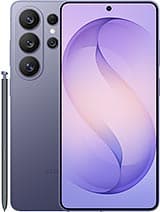
Samsung Galaxy S26 Ultra
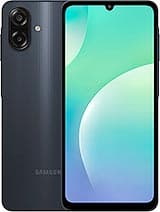
Samsung Galaxy M07
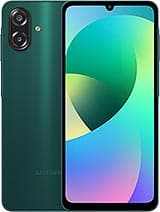
Samsung Galaxy F07
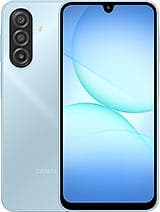
Samsung Galaxy M17