General
Display
Performance
Network
Connectivity
Sensors
Other
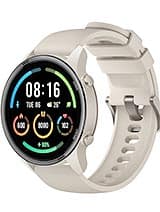
Xiaomi Mi Watch Color Sports Overview
The Xiaomi Mi Watch Color Sports is an Android device from Xiaomi, released in 2020. It combines a 1.39-inch display, running Proprietary OS. This page tracks its full specifications, root status, and the bootloader and recovery notes that apply to it.
Related
Similar Devices

Root SupportedProfessional Root Available
Xiaomi
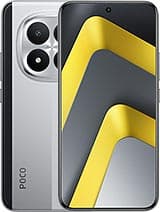
Xiaomi Poco M8
Qualcomm SM6475-AB Snapdragon 6 Gen 3 (4 nm)128GB 6GB RAM, 128GB 8GB RAM, 256GB 8GB RAM, 512GB 8GB RAM
Root SupportedProfessional Root Available
Xiaomi
Xiaomi Poco M8 Pro
Qualcomm SM7635-AC Snapdragon 7s Gen 4 (4 nm)256GB 8GB RAM, 512GB 12GB RAM

Root SupportedProfessional Root Available
Xiaomi
Xiaomi Black Shark Gaming Tablet
Qualcomm SM8635 Snapdragon 8s Gen 3 (4 nm)256GB 12GB RAM

Root SupportedProfessional Root Available
Xiaomi
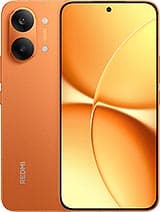
Xiaomi Redmi Turbo 5
Mediatek Dimensity 8500 Ultra (4 nm)256GB 12GB RAM, 256GB 16GB RAM, 512GB 12GB RAM, 512GB 16GB RAM
Root SupportedProfessional Root Available
Xiaomi
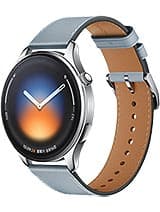
Xiaomi Redmi Turbo 5 Max
Mediatek Dimensity 9500s (3 nm)256GB 12GB RAM, 256GB 16GB RAM, 512GB 12GB RAM, 512GB 16GB RAM, 1TB 16GB RAM
Root SupportedProfessional Root Available
Xiaomi
Xiaomi Watch 5
Qualcomm Snapdragon W5 Gen 1 (4 nm)

Root SupportedProfessional Root Available
Xiaomi
Xiaomi 17 Ultra
Qualcomm SM8850-AC Snapdragon 8 Elite Gen 5 (3 nm)512GB 12GB RAM, 512GB 16GB RAM, 1TB 16GB RAM
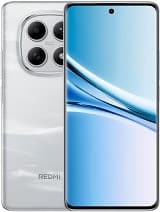
Root SupportedProfessional Root Available
Xiaomi
Xiaomi Redmi Note 15
Qualcomm SM6475-AB Snapdragon 6 Gen 3 (4 nm)128GB 6GB, 128GB 8GB, 256GB 8GB RAM, 256GB 12GB RAM