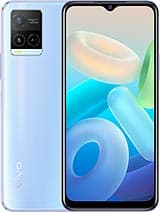
General
Display
Performance
Camera
Battery
Network
Connectivity
Sensors
Other
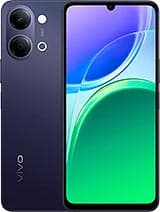
vivo Y32 Overview
The vivo Y32 is an Android device from vivo, released in 2021. It combines the Qualcomm SM6225 Snapdragon 680 4G (6 nm) and a 6.51-inch display, running Android 11. This page tracks its full specifications, root status, and the bootloader and recovery notes that apply to it.
Root the vivo Y32
The vivo Y32 is a 2021 Android device from vivo. It runs the Qualcomm SM6225 Snapdragon 680 4G (6 nm), a Qualcomm platform with strong community tooling and EDL-mode recovery as a safety net. Shipped software: Android 11, OriginOS 1.0. Because vivo does not currently provide a bootloader unlock for devices like this one, conventional Magisk root is not possible — contact us before assuming otherwise, as regional exceptions occasionally exist.
Difficulty
Restricted — official unlock unavailable
Typical time
N/A without an unlock path
Method
No conventional method — bootloader unlock unavailable
Bootloader unlock on vivo
vivo (and iQOO) do not offer a general official bootloader unlock outside limited regional programs, so most retail units cannot be conventionally rooted.
Platform notes
Qualcomm Snapdragon platforms are the best-supported in the root community: fastboot works as documented, and even a failed flash can usually be recovered through EDL (9008) emergency mode.
Before you start
- Bootloader unlocking factory-resets the device on almost all models — back up everything first.
FAQ
Can I root the vivo Y32?
Not through any conventional method. vivo (and iQOO) do not offer a general official bootloader unlock outside limited regional programs, so most retail units cannot be conventionally rooted. Magisk requires an unlocked bootloader, so without an official unlock path the vivo Y32 cannot be rooted.
Will root the vivo Y32 void my warranty?
vivo will generally treat a rooted vivo Y32 as outside warranty while it is modified. Restoring full stock firmware before a service visit usually restores normal treatment in practice, and consumer law in some regions (such as the EU) may still cover defects unrelated to root.
What Android version does the vivo Y32 run?
It runs Android 11, OriginOS 1.0. The specifications table on this page lists the full software details.
Similar Devices
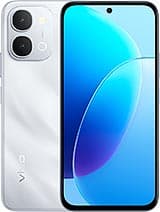
vivo Y500i
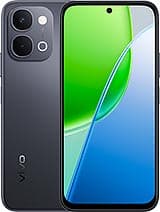
vivo Y31d
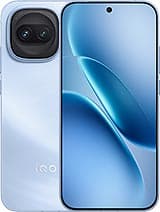
vivo iQOO Z11 Turbo
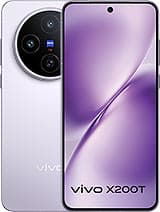
vivo X200T
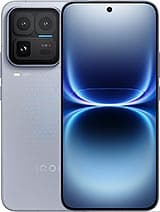
vivo iQOO 15 Ultra
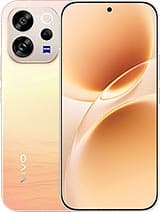
vivo V70
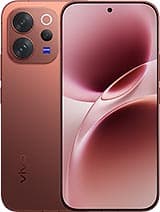
vivo V70 Elite
vivo Y05